Your bookmarks, finally organized
Save any link, tag it, find it later. No folders you'll never open. No ads based on what you read.
No credit card required. Free plan always available.
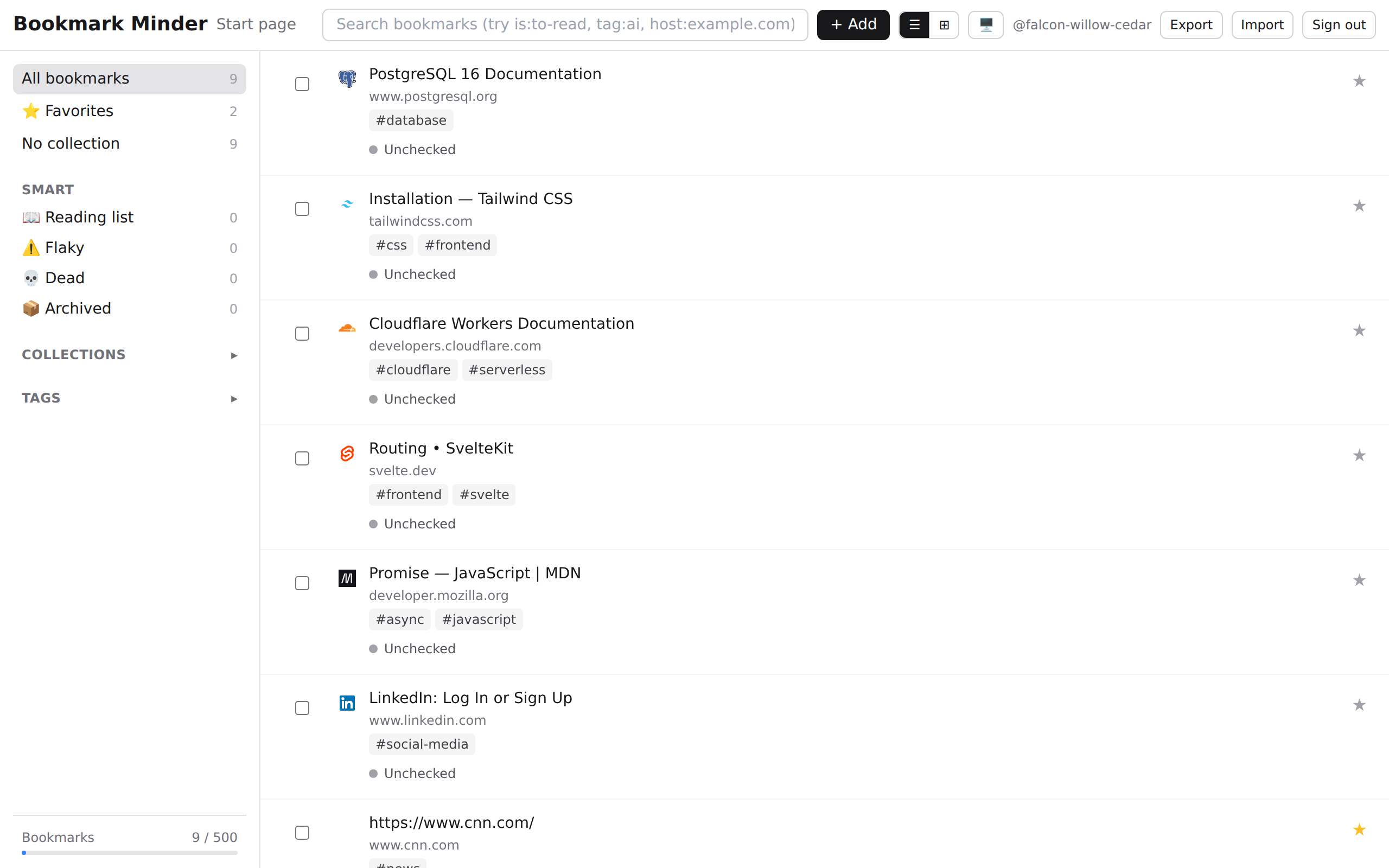
Everything you need. Nothing you don't.
Collect anything
Save links from any browser. Import your existing bookmarks from Chrome, Firefox, or Safari in one click.
Find it when you need it
Full-text search across titles, notes, and tags. Filter by collection, tag, or date. Power operators for precision.
Yours, privately
No selling your reading history. No interest-based ads. Your data is encrypted at rest. Delete it anytime.
Save in seconds
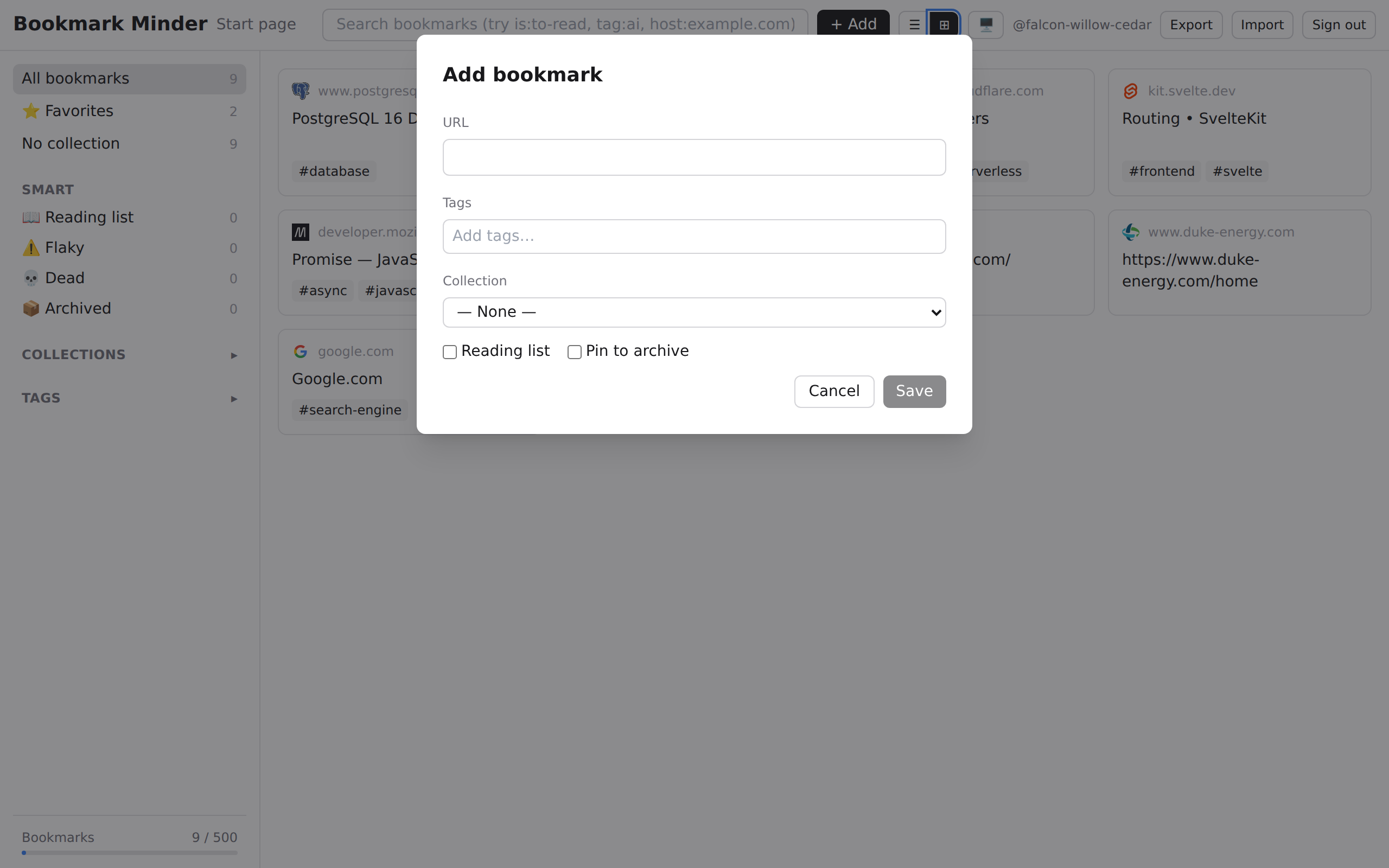
Add a bookmark from anywhere
Press N to open the add form, paste a URL, and drop in tags. The browser extension saves the current tab with one click.
Search everything
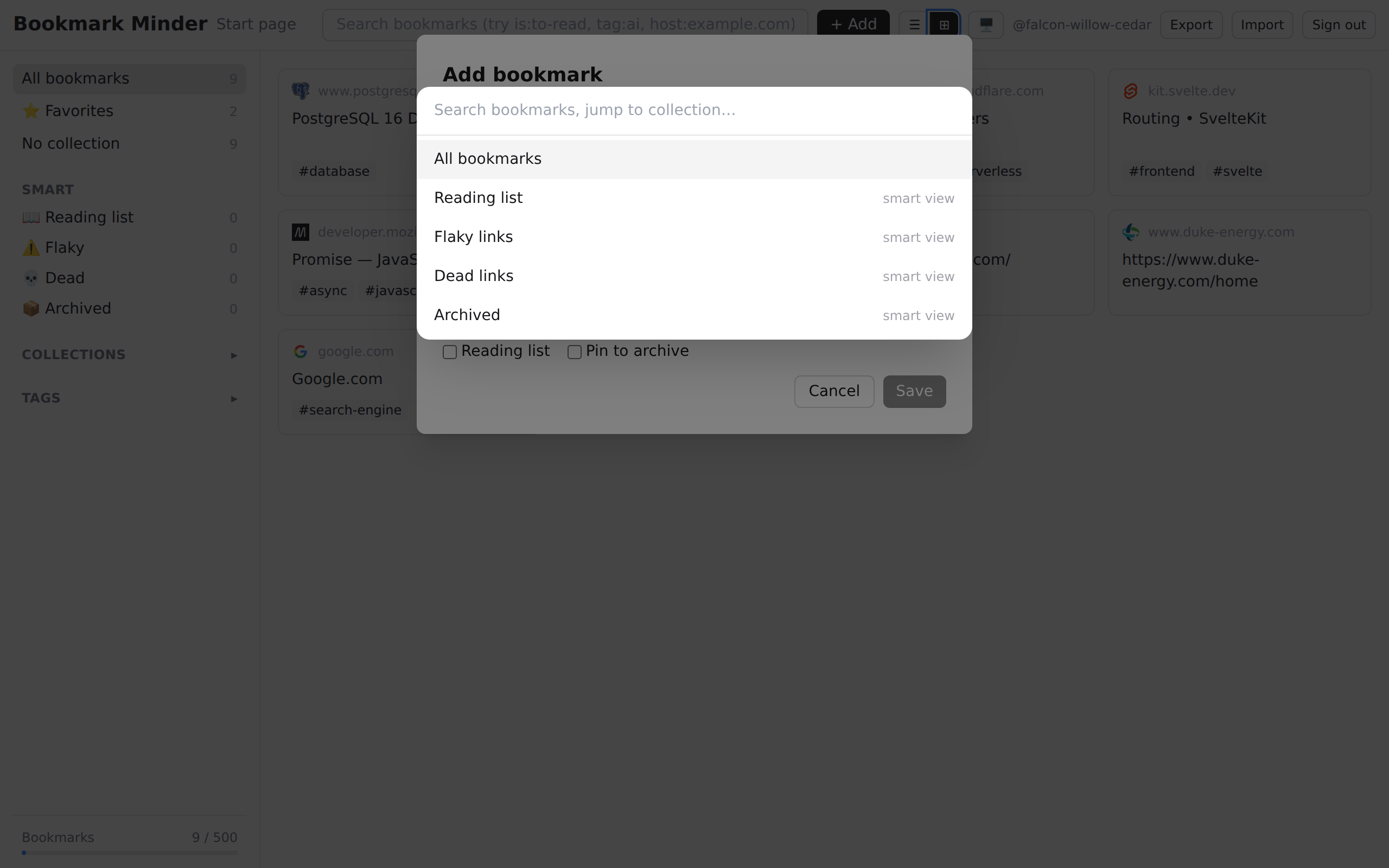
Find it with one keystroke
Press ⌘K to open the command palette. Search by title, URL, tag, or collection — results appear as you type.
Simple pricing
Start free. Upgrade when you're ready.
Personal
$1.00/mo
or $10.00/year
- ✓ Unlimited bookmarks
- ✓ Unlimited collections
- ✓ Unlimited tags
- ✓ Everything in Free
- ✓ Priority support
Family
$2.49/mo
or $24.00/year
- ✓ Up to 5 accounts
- ✓ Unlimited everything
- ✓ Shared collections
- ✓ Everything in Personal
What's new
See everything we've added →Page titles fill in without sending us the link
With Privacy Mode on, the iOS and Android apps now fetch a shared page's title on your phone. In the web app, the browser extension fetches the title on your computer when you leave the URL field. Neither sends the link to us or uses your cookies. Without the extension, Fetch the page title still works as before.
- Web
- Browser extension
- iOS
- Android
A heads-up when you save a link twice
Adding a link that's already in your library now shows the saved copy's title and collection, and Save still adds it again if you want two. View it opens the saved copy (not yet from the iOS share sheet). Tracking tags like utm_source, a trailing slash or a #section don't make a link count as new. The check runs on your device, Privacy Mode included.
- Web
- Browser extension
- iOS
- Android
Start page search opens bookmarks, and short widgets fill the gaps
Typing in the Start page search box now lists matching bookmarks; click one or press Enter to open it. Widgets are placed by height, so a short widget sits under another short one instead of starting a new row. Changing a widget's Items to show, title or sort order now saves when you also change its appearance.
- Web
Your Start page layout is encrypted in Privacy Mode
With Privacy Mode on, your Start page widgets, feed addresses, collections and widget settings are encrypted with your account key before they're saved. A layout saved earlier is encrypted the next time you open the Start page while unlocked. Turning Privacy Mode off stores it unencrypted again.
- Web
Page titles are fetched only when you ask
With Privacy Mode on, the Add bookmark dialog no longer sends the link to our server to look up its title. Click Fetch the page title if you want it, knowing the link is sent unencrypted. The iOS and Android apps already worked this way.
- Web
Start saving links today
Free forever. No card needed. Takes 30 seconds to sign up.
Create your free account